TS Academy capstone · Phoenix Cohort · 2026 · Live web app
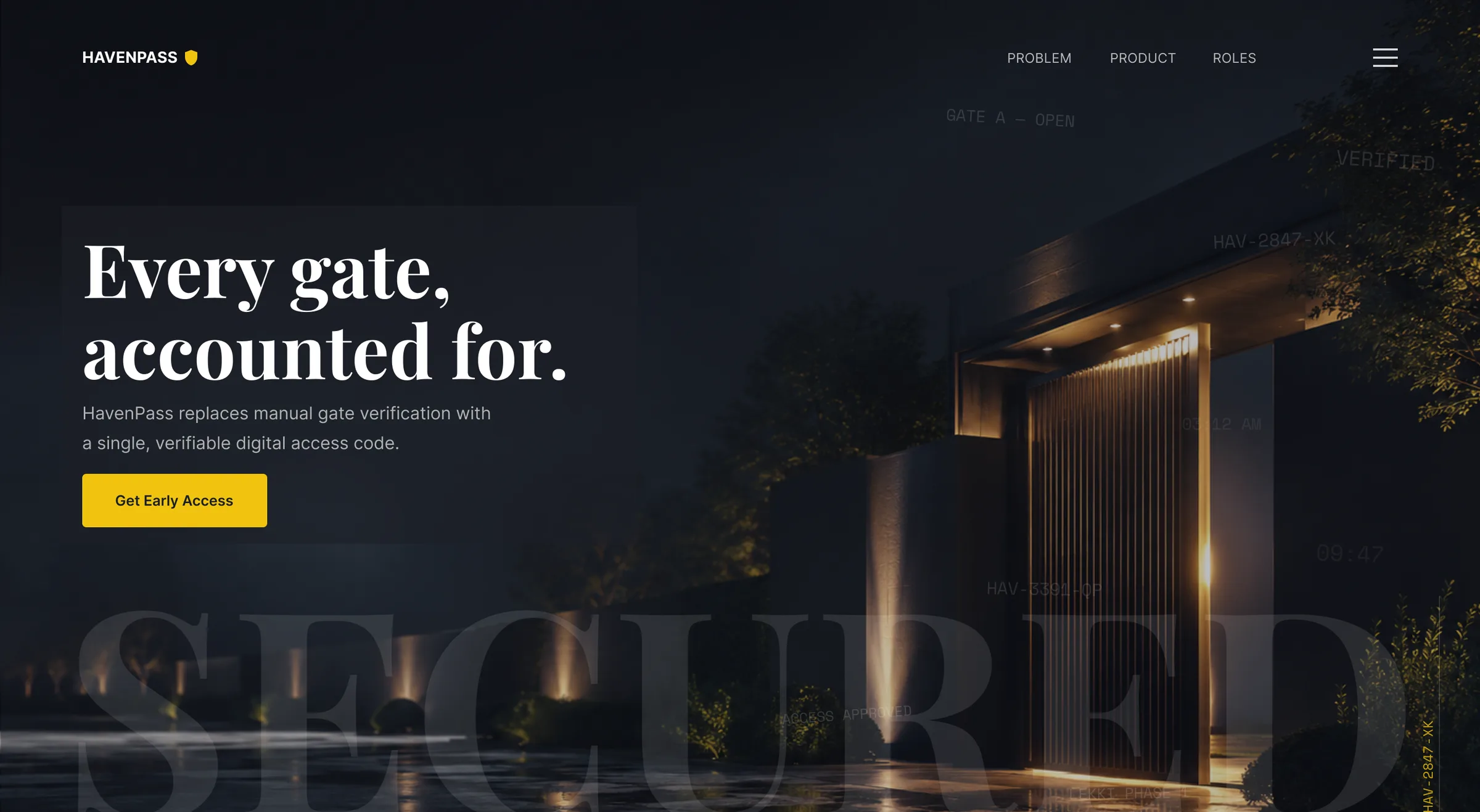
HavenPass, secure gates for Nigerian estates
A visitor access app for Nigerian gated estates, designed in Figma and built into a live web app.
- Role
- UI/UX Designer (solo). I designed it end to end, then built it with Claude Code.
- Timeline
- 3 weeks to design (May 2026), then built as a web app afterwards
- Tools
- Figma, FigJam, Google Docs, Claude, Claude Code, Supabase, Vercel
- Platform
- Mobile web app (installable PWA)
85+
screens designed
Design scope
22
unique flows
Design scope
3
user roles
Design scope
19
components in the library
Design scope
8
resident, visitor and officer interviews
Research finding
9.0/10
visual design rating from 5 testers
Test result
The problem
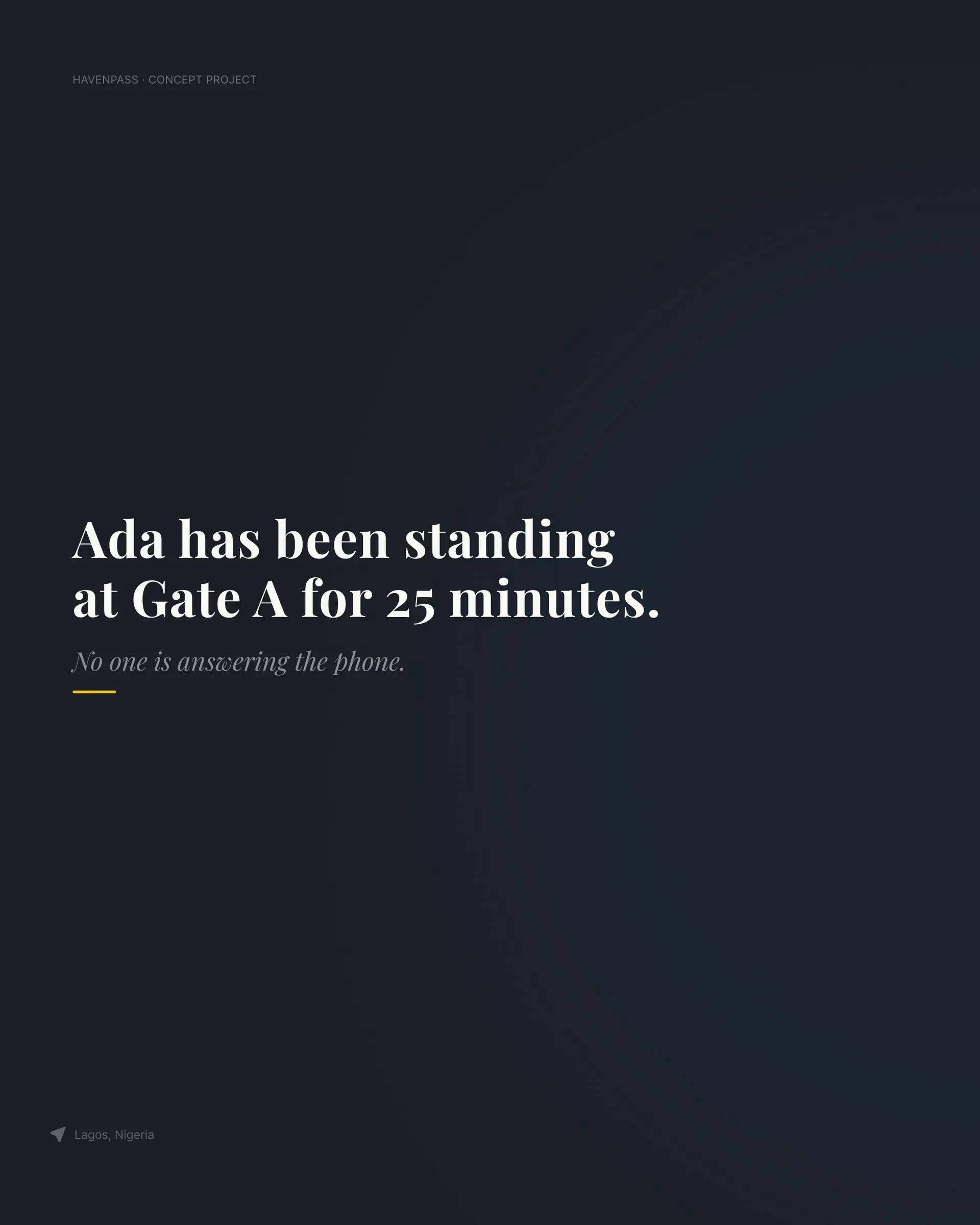
Ada has been standing at Gate A for 25 minutes. No one is answering the phone.
In most Nigerian gated estates, visitor access still runs on phone calls and paper logbooks. A visitor arrives, the guard calls the resident, the resident is in a meeting, and the visitor waits or leaves. Codes get shared and reused, and when something goes wrong there's no record of who came in.
What I learned from research
I ran 8 interviews with residents, visitors and security officers, reviewed 3 competitors and did 1 live observation session at a gate.
- 7 of 8 residents said gate calls disrupt their day. (Research finding)
- Visitors described waits of up to 25 minutes. (Research finding)
- Officers estimated they spend around 60% of a shift on verification calls instead of watching the gate. (Research finding)
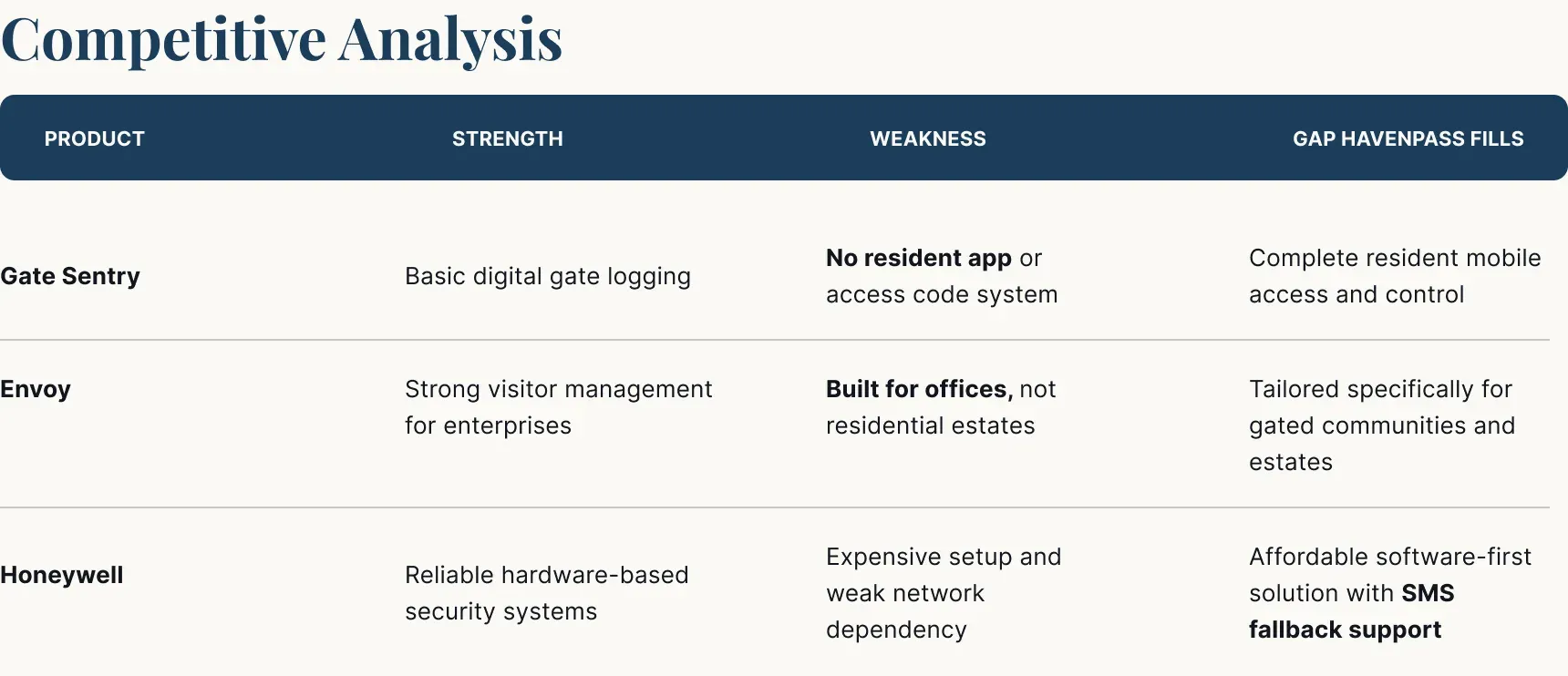
Competitors: Gate Sentry logs entries but gives residents no app. Envoy is strong for offices, not homes. Honeywell is reliable hardware, but expensive and network dependent. No one connected all three people in one system.
Three people, one system
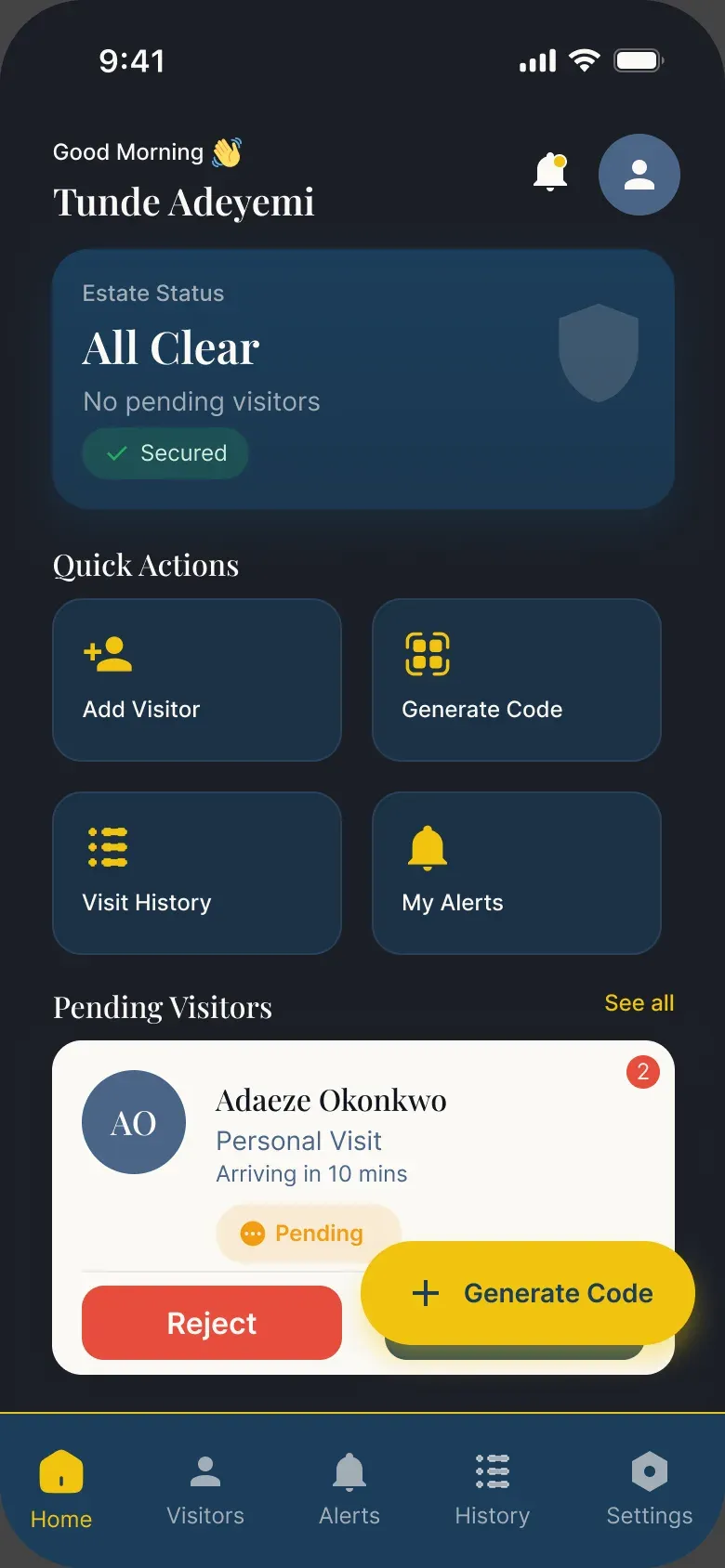
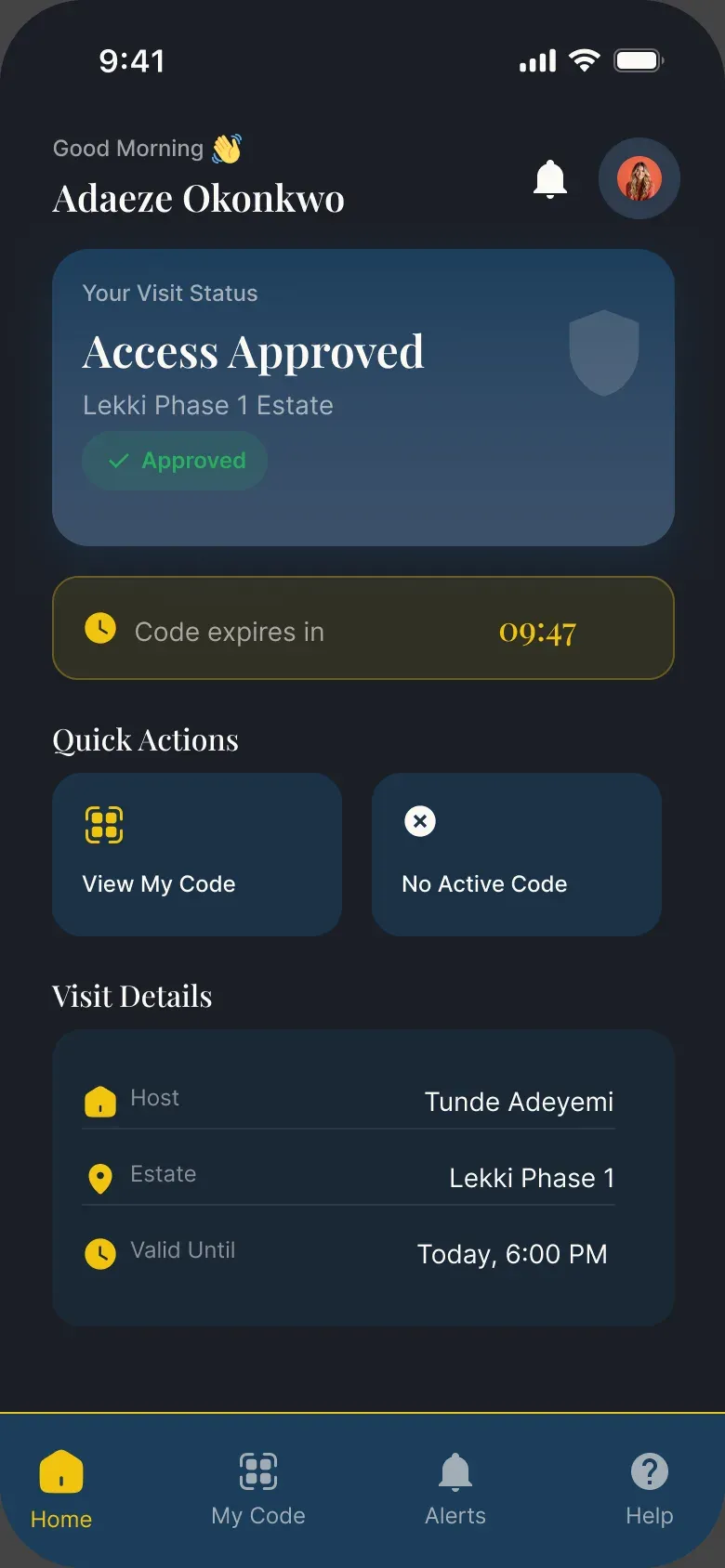
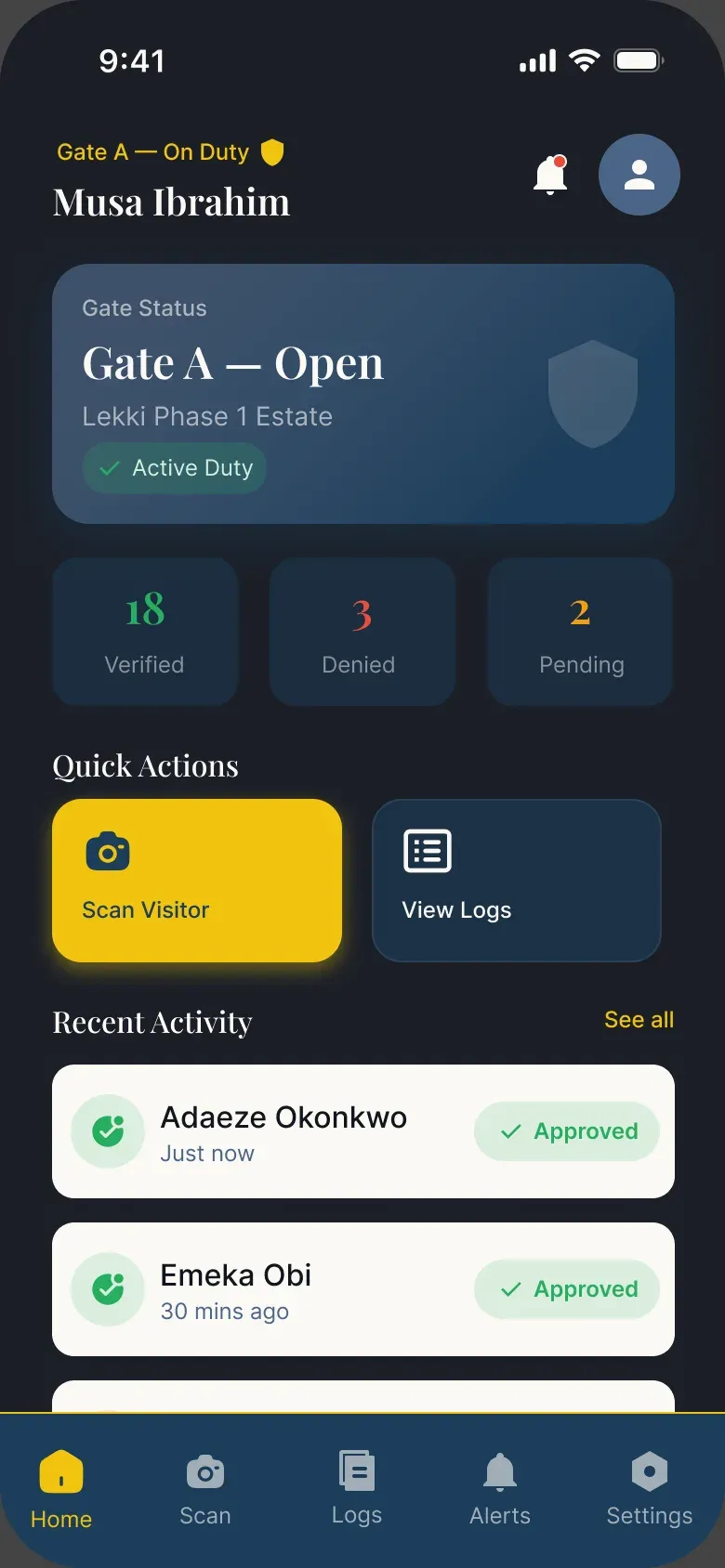
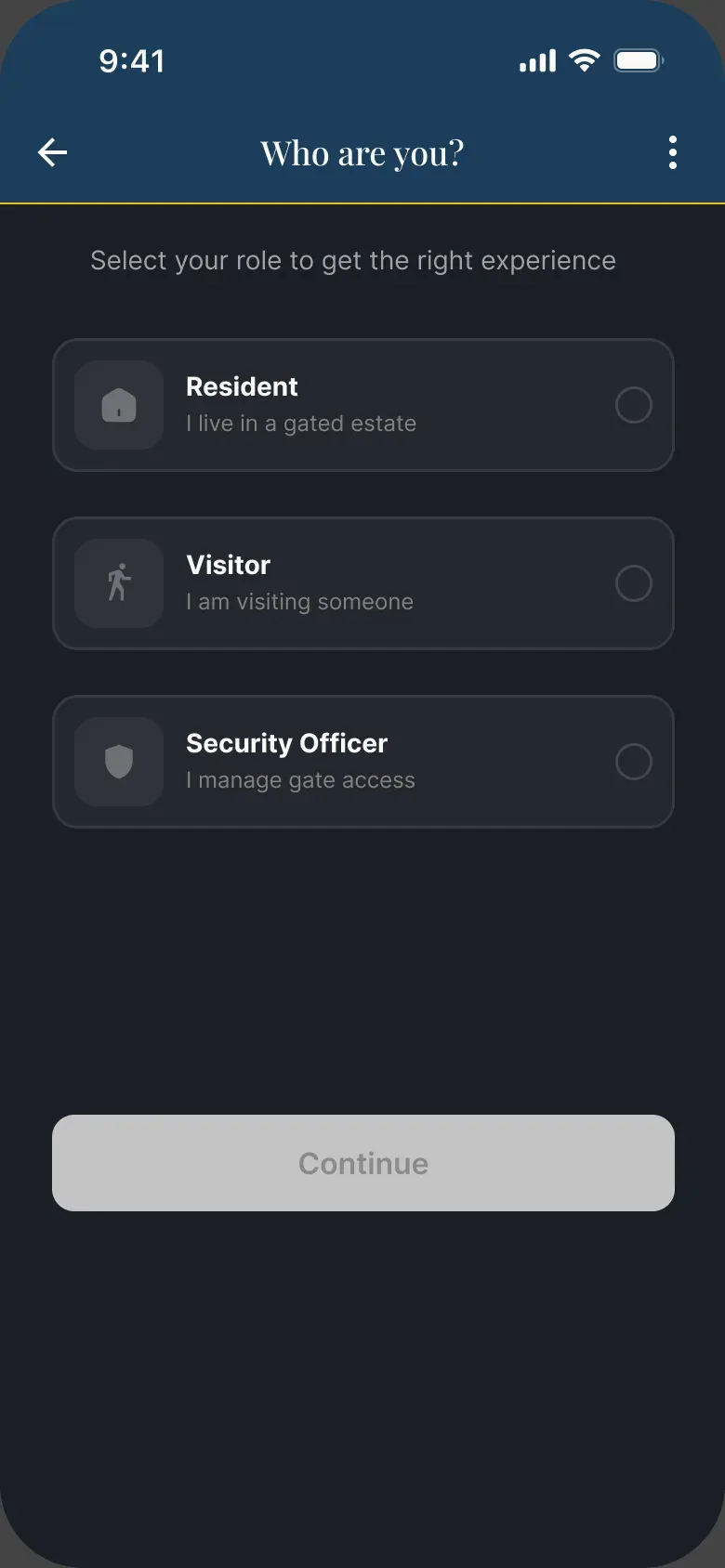
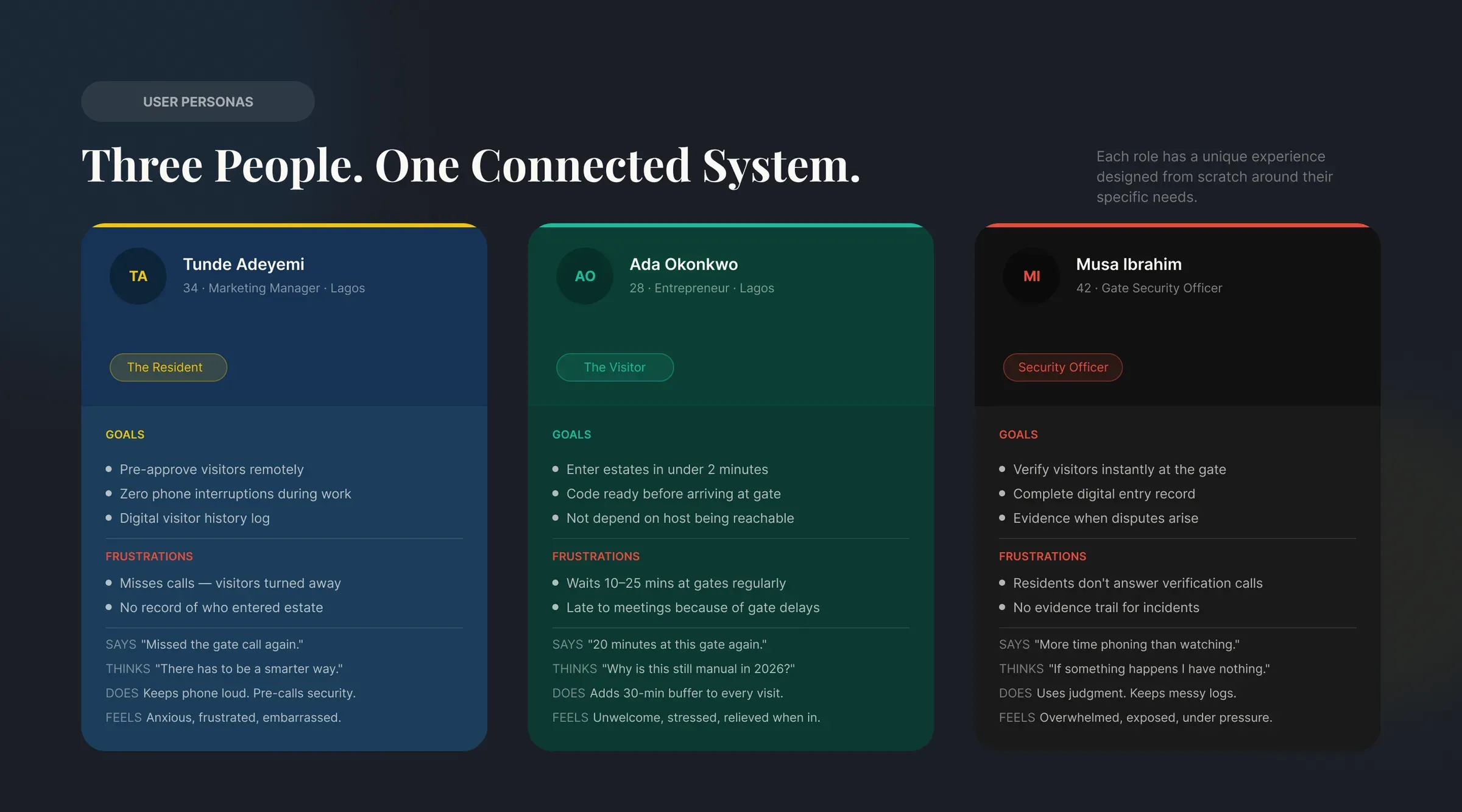
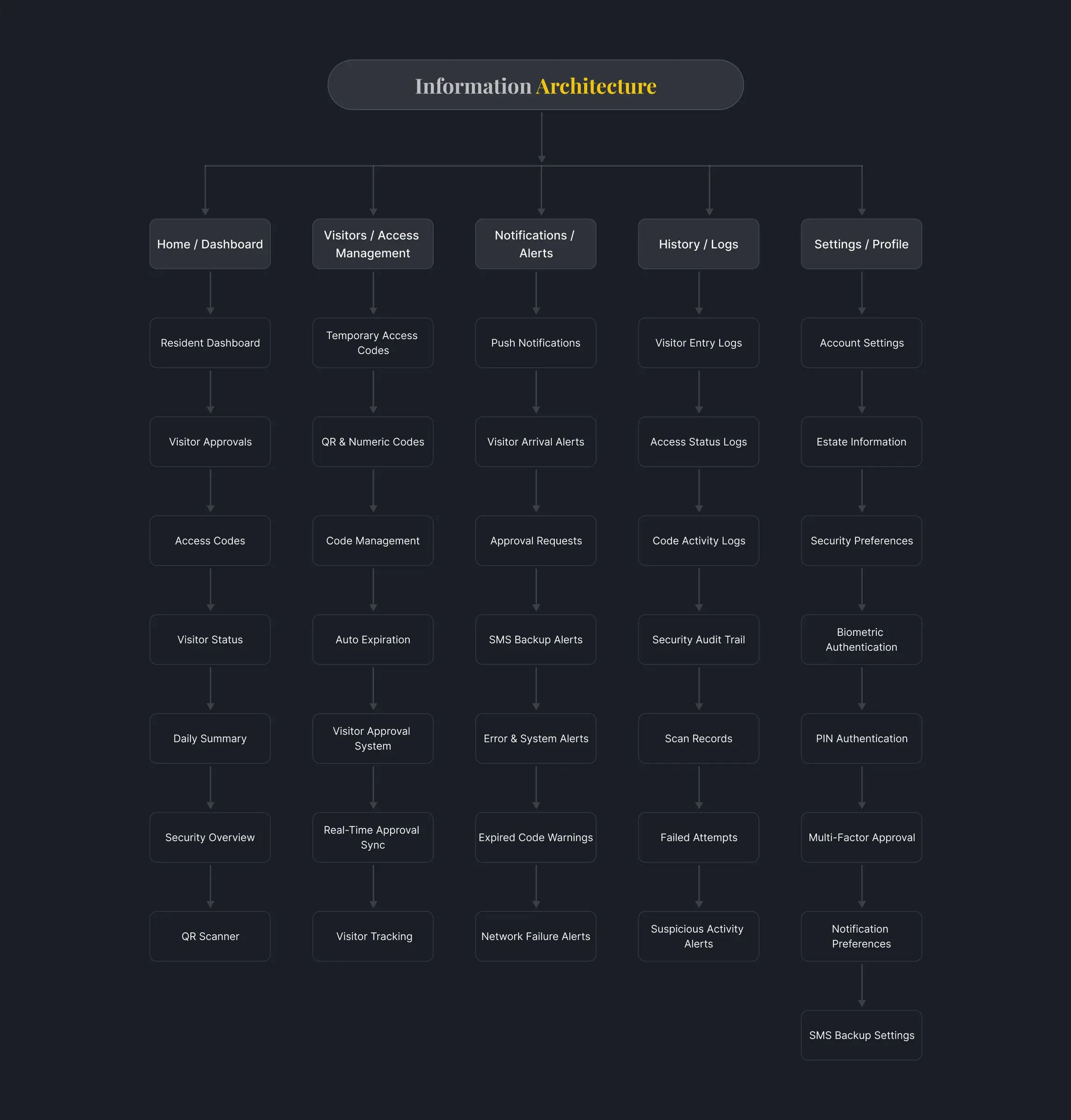
Tunde, the resident, wants to approve visitors without picking up calls. Ada, the visitor, wants to get in without depending on someone answering. Musa, the security officer, wants to verify fast and have proof when there's a dispute. Each role gets its own app experience and its own navigation, from one shared design system. (Personas are built from the interviews.)
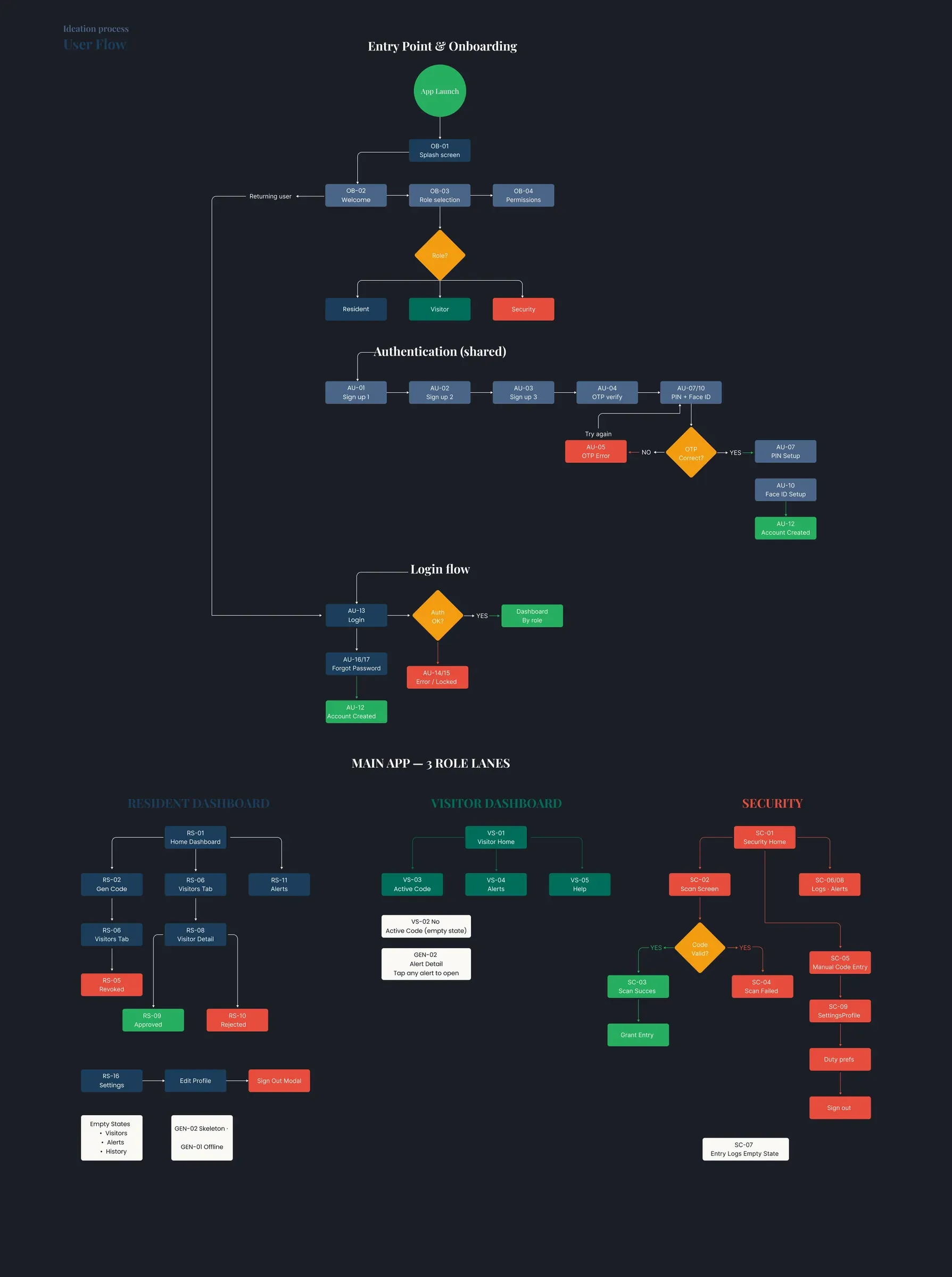
Key design decisions
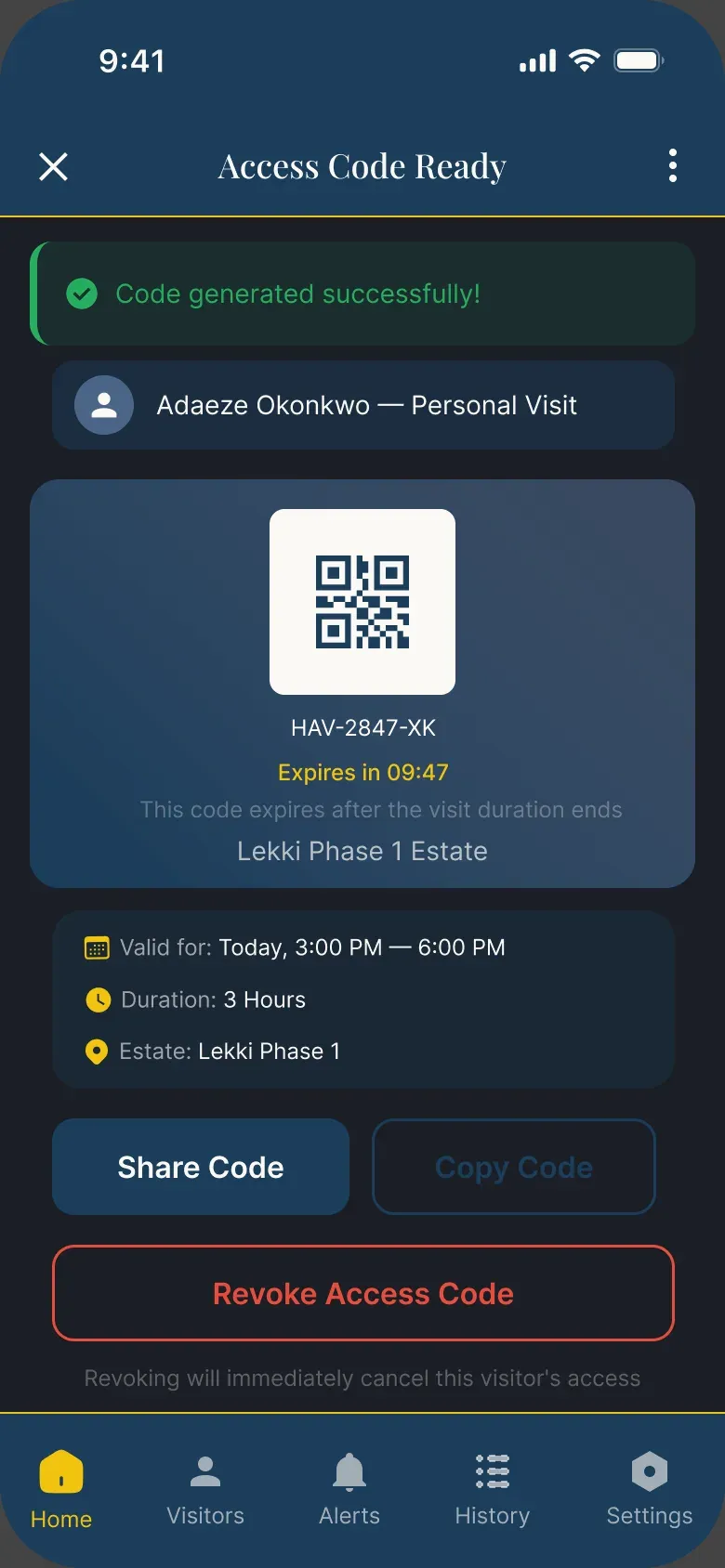
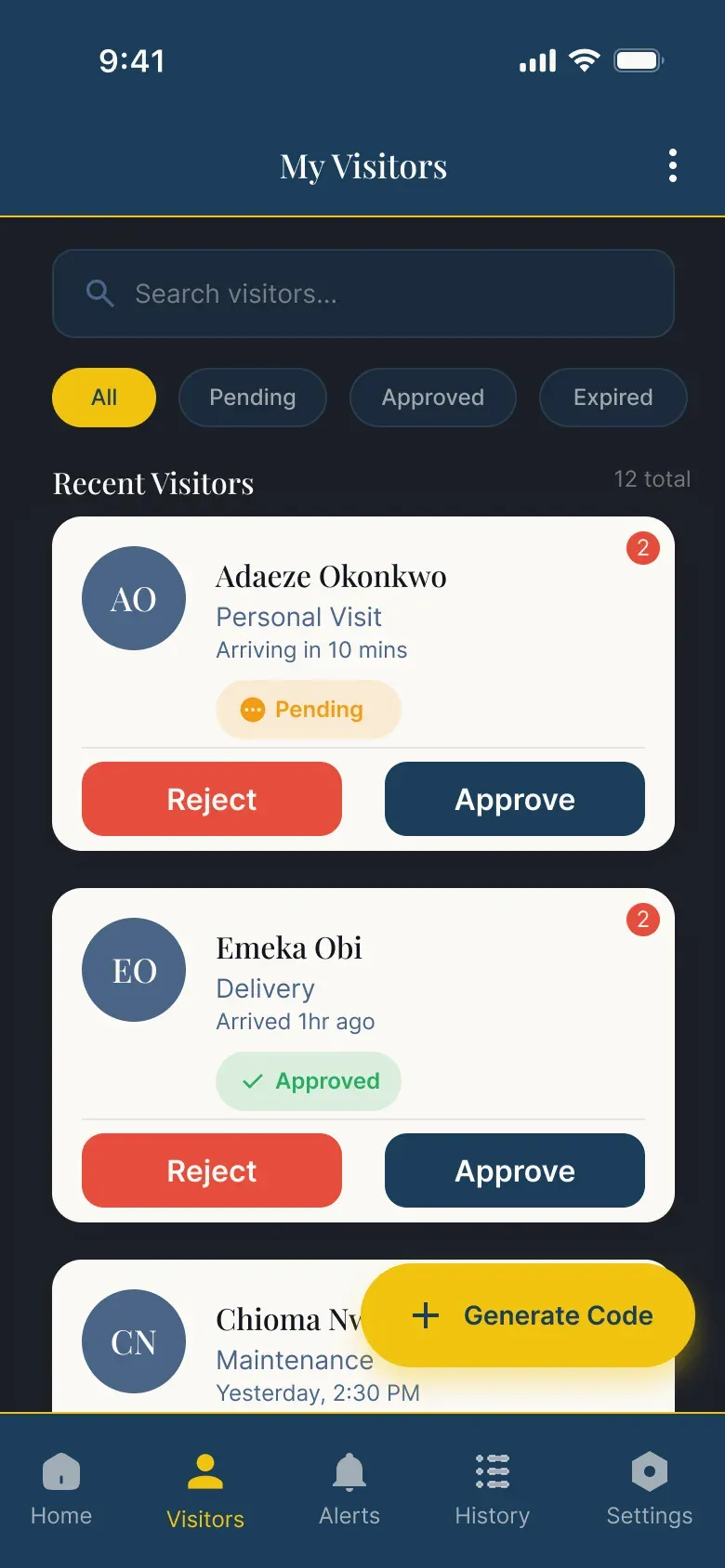
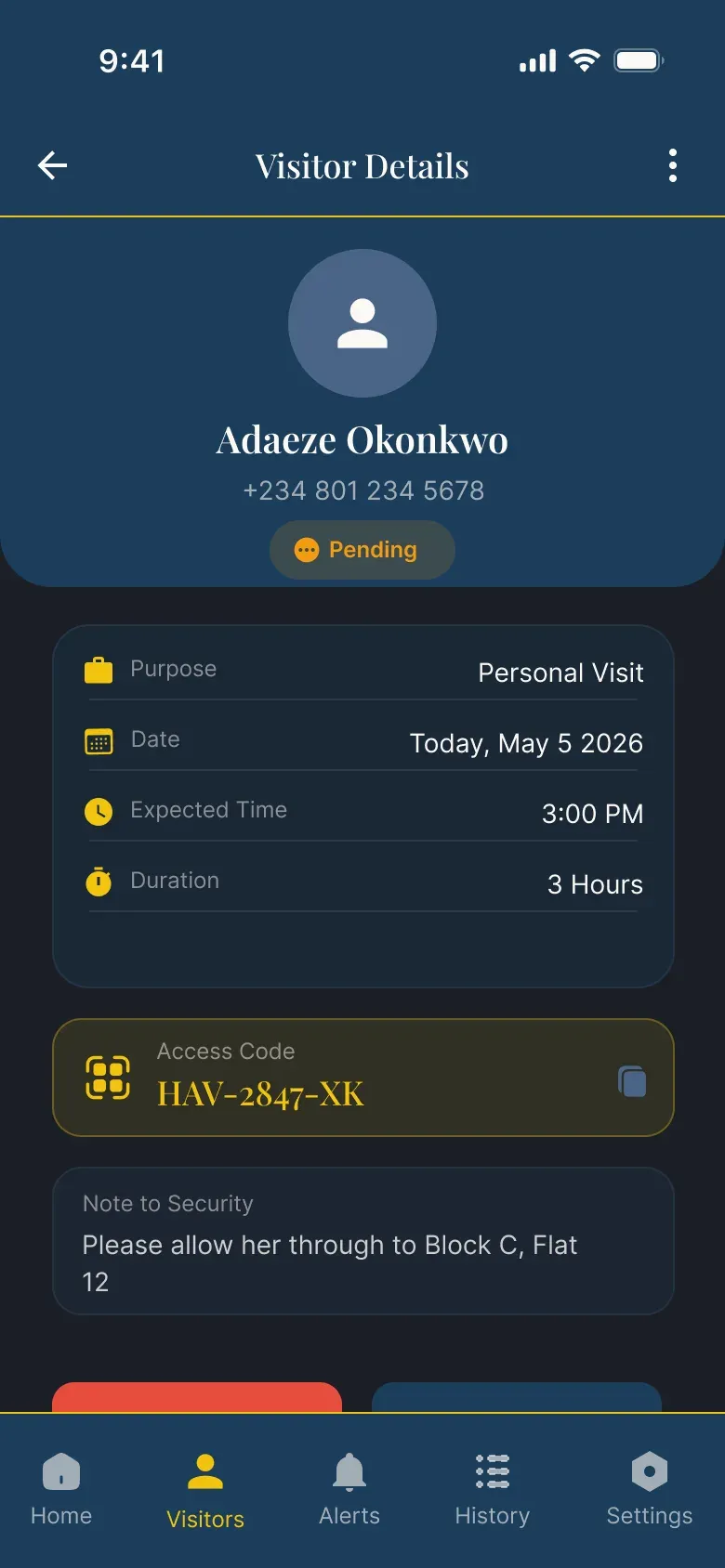
- Time-limited codes that expire on their own. A resident creates a code in three taps and shares it on WhatsApp or SMS. When the visit ends, the code dies, so reuse isn't possible.
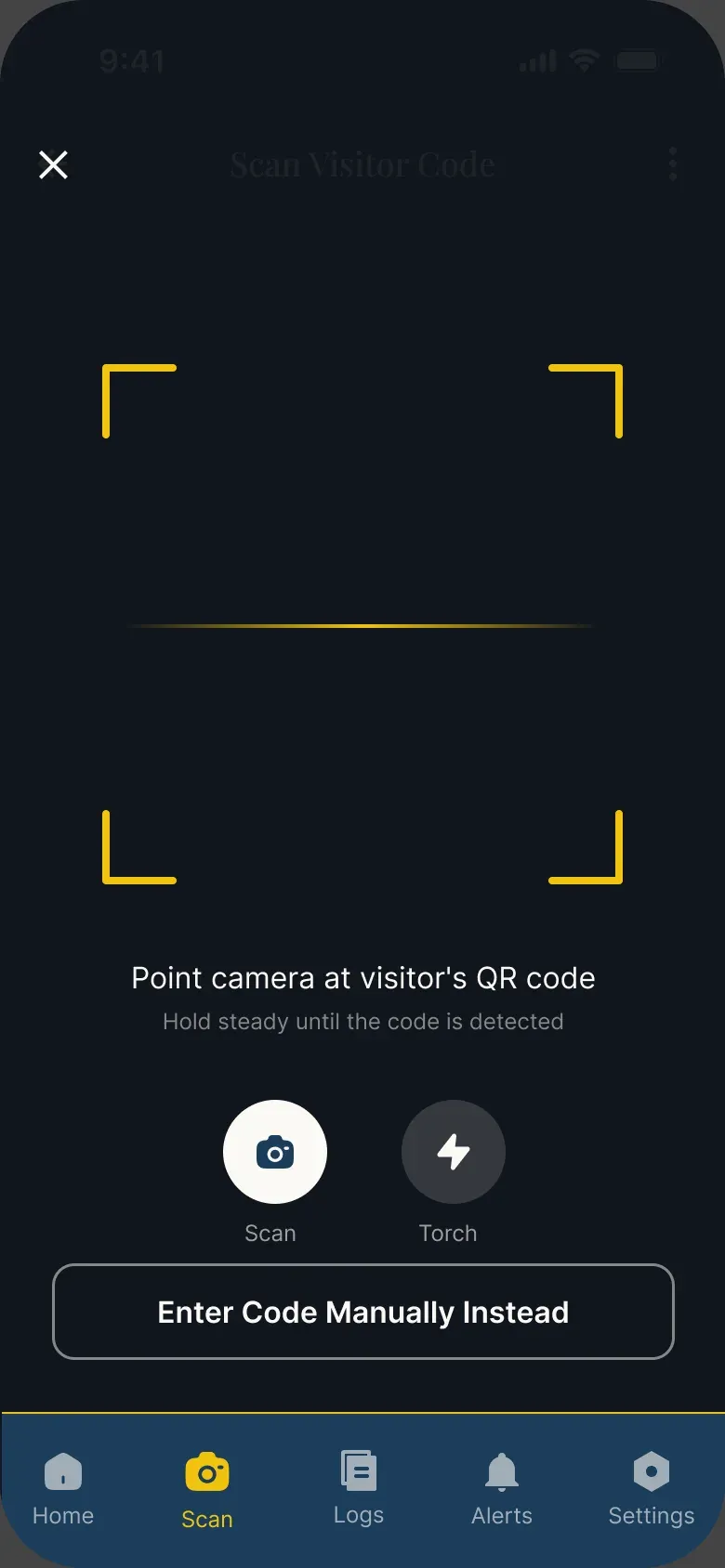
- The visitor's code fills the screen and works offline. At a gate, signal is often poor, and the guard needs to scan from a distance. A live countdown shows how long the code is valid.
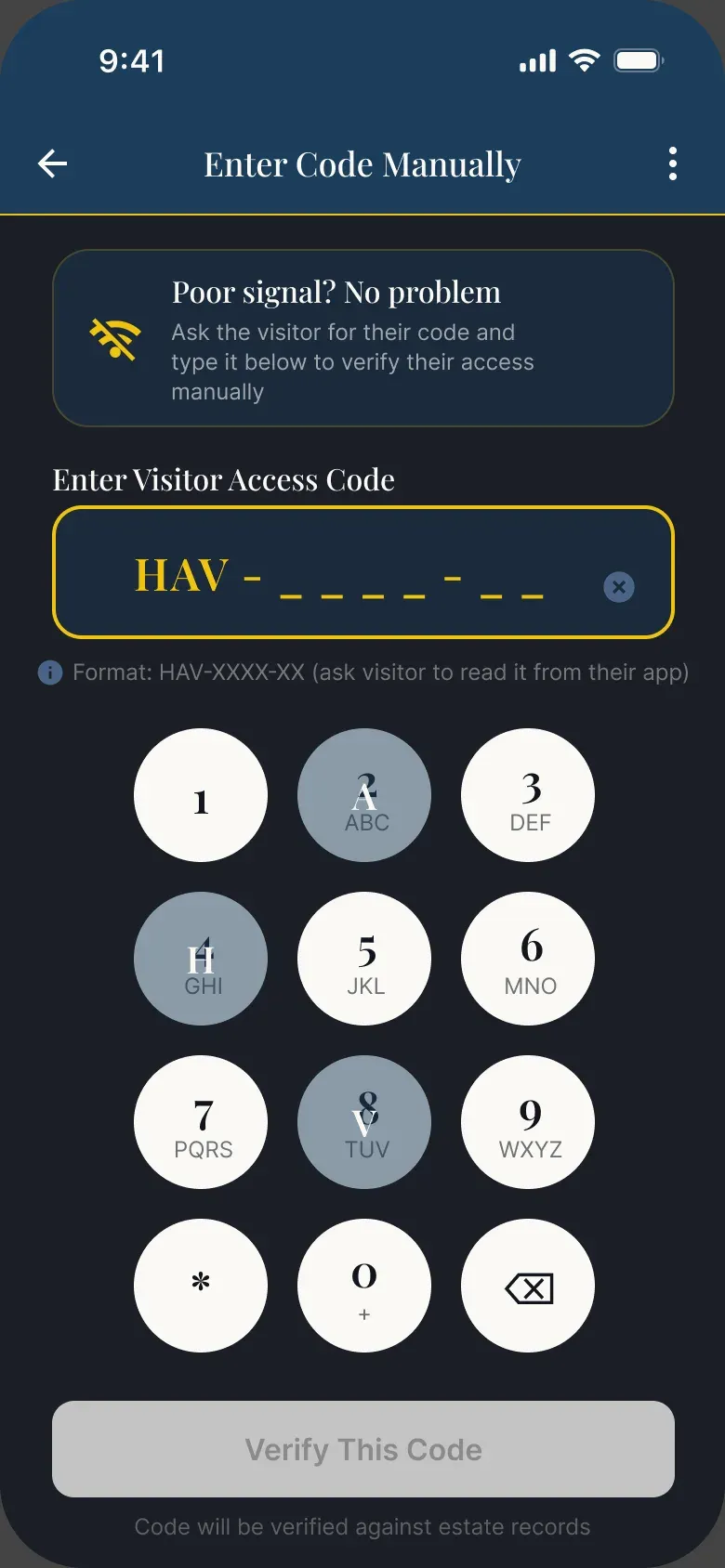
- A manual entry fallback for officers. If the camera or signal fails, Musa can type the code on a large numeric keypad.
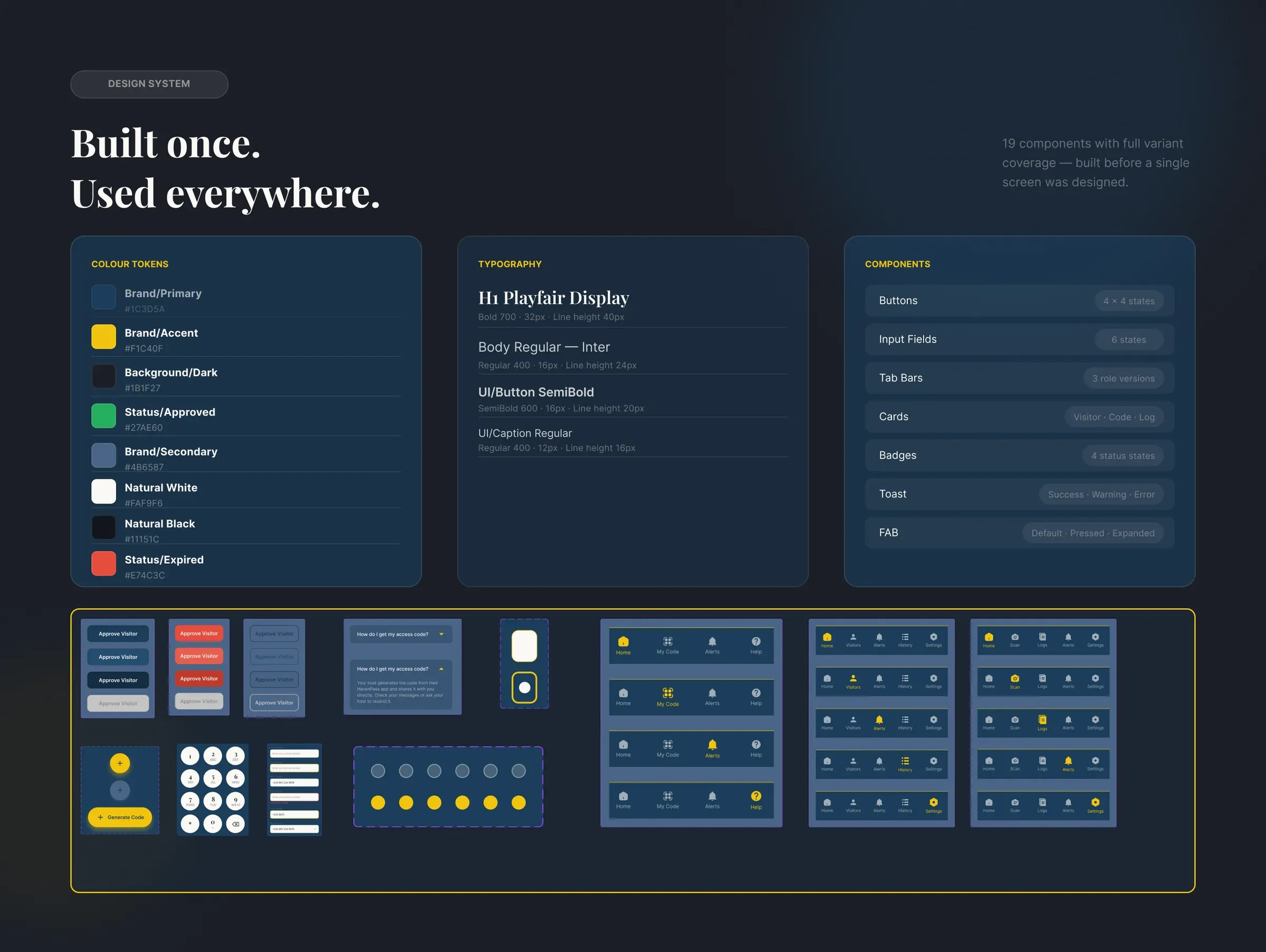
- Design system first. I built 19 components with all their states before any screen. It's what made 85+ screens across three roles stay consistent.
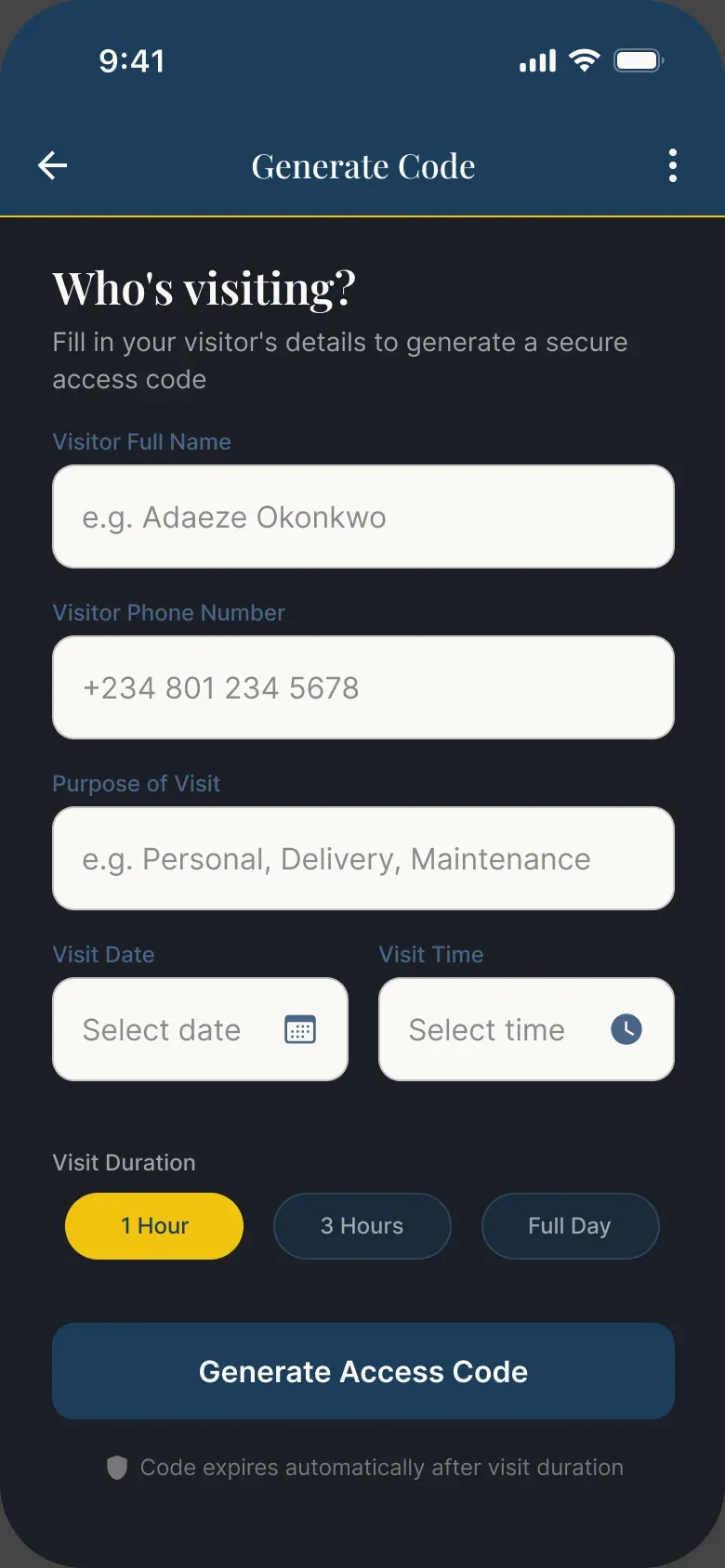
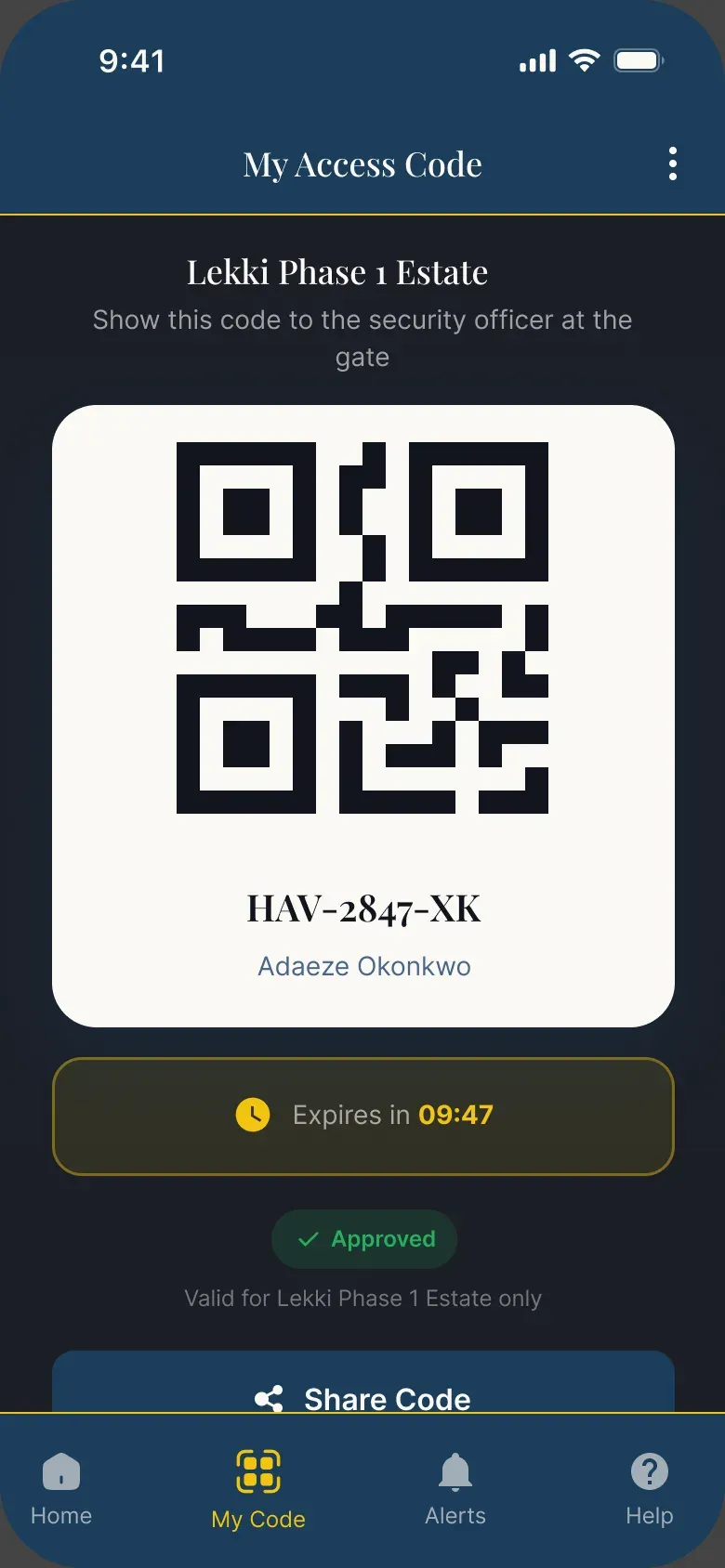
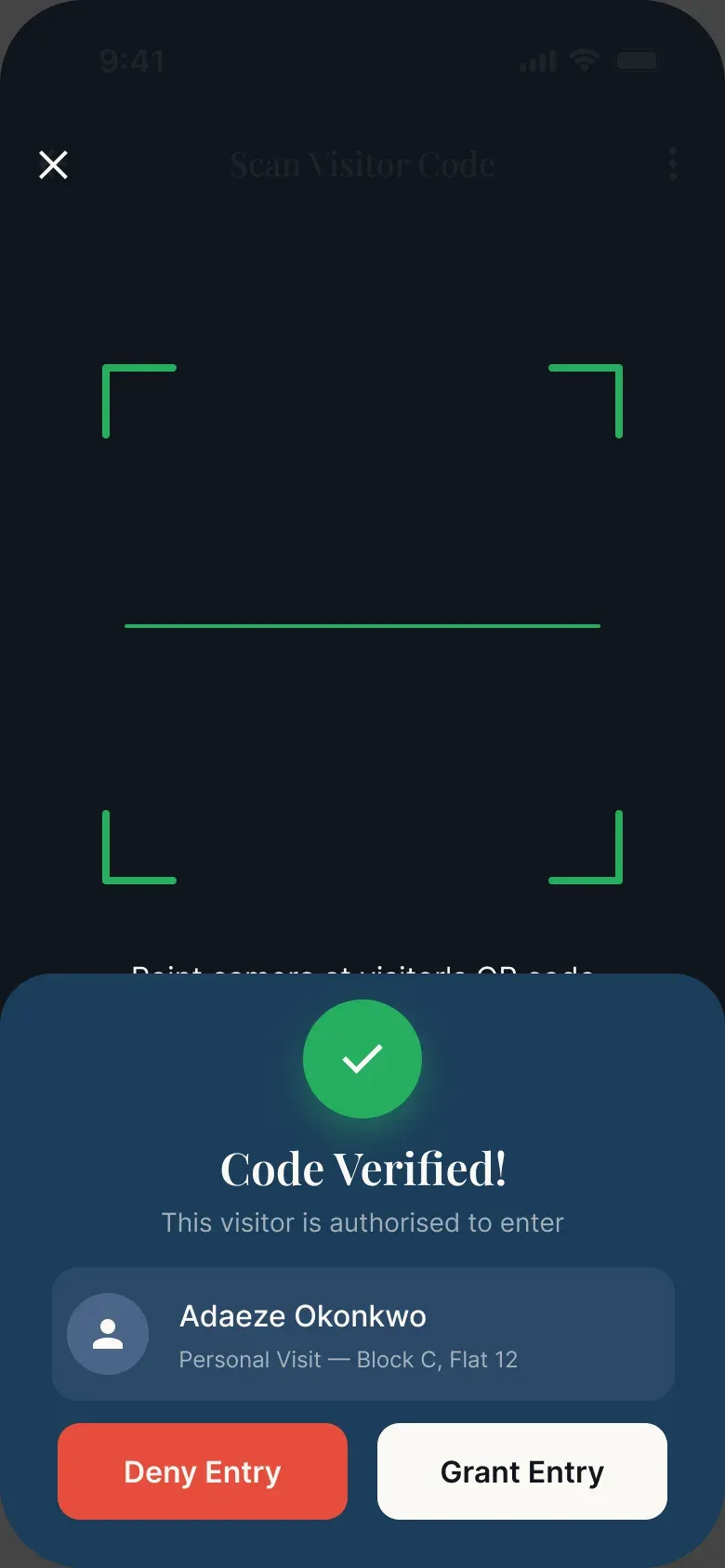
Testing with real people
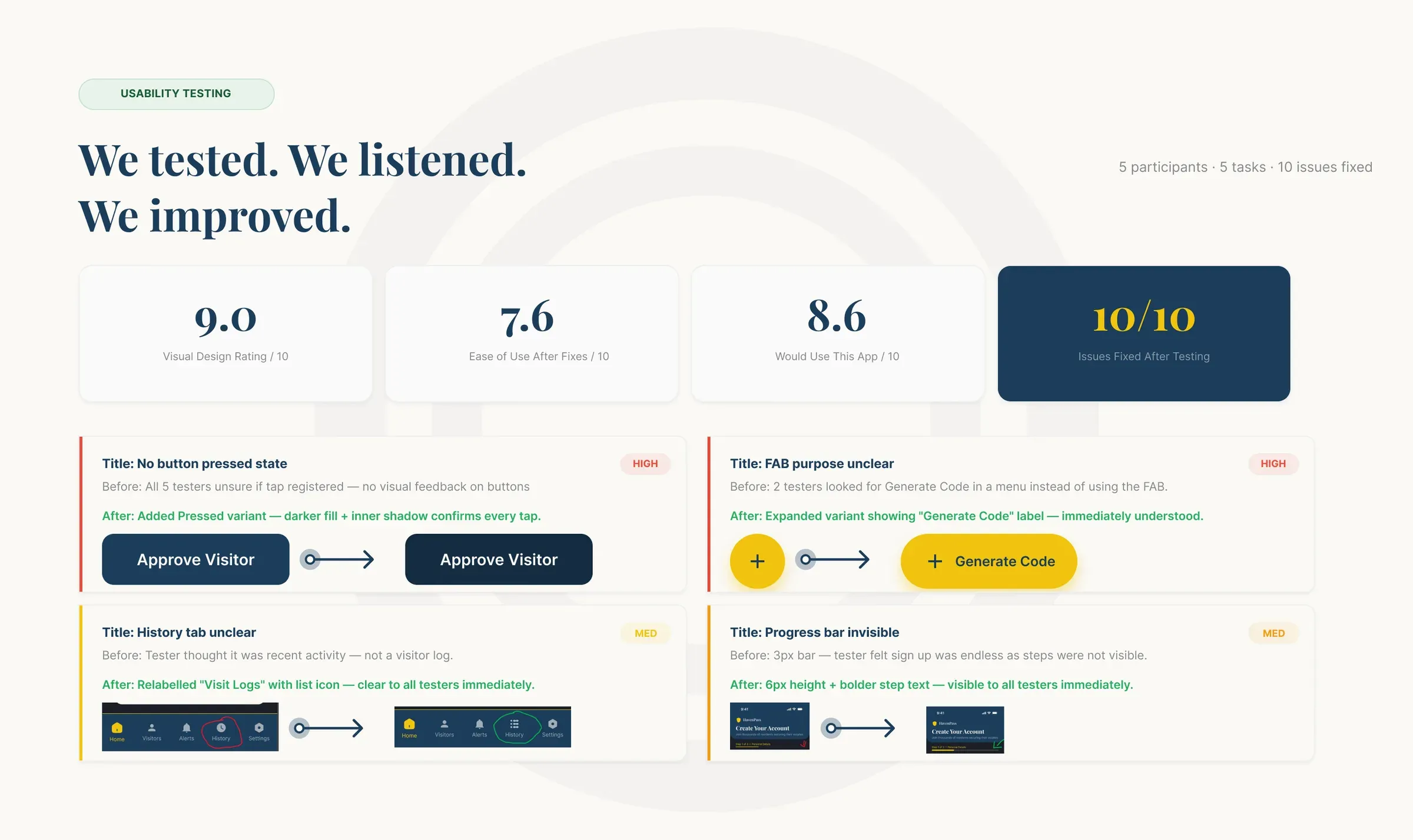
I tested the prototype with 5 participants on 5 tasks and fixed 10 issues. The 4 that mattered most:
- No pressed state on buttons: all 5 testers weren't sure their tap had registered. I added a pressed variant with a darker fill.
- The FAB's purpose was unclear: 2 testers looked for "Generate Code" in a menu. I added an expanded label.
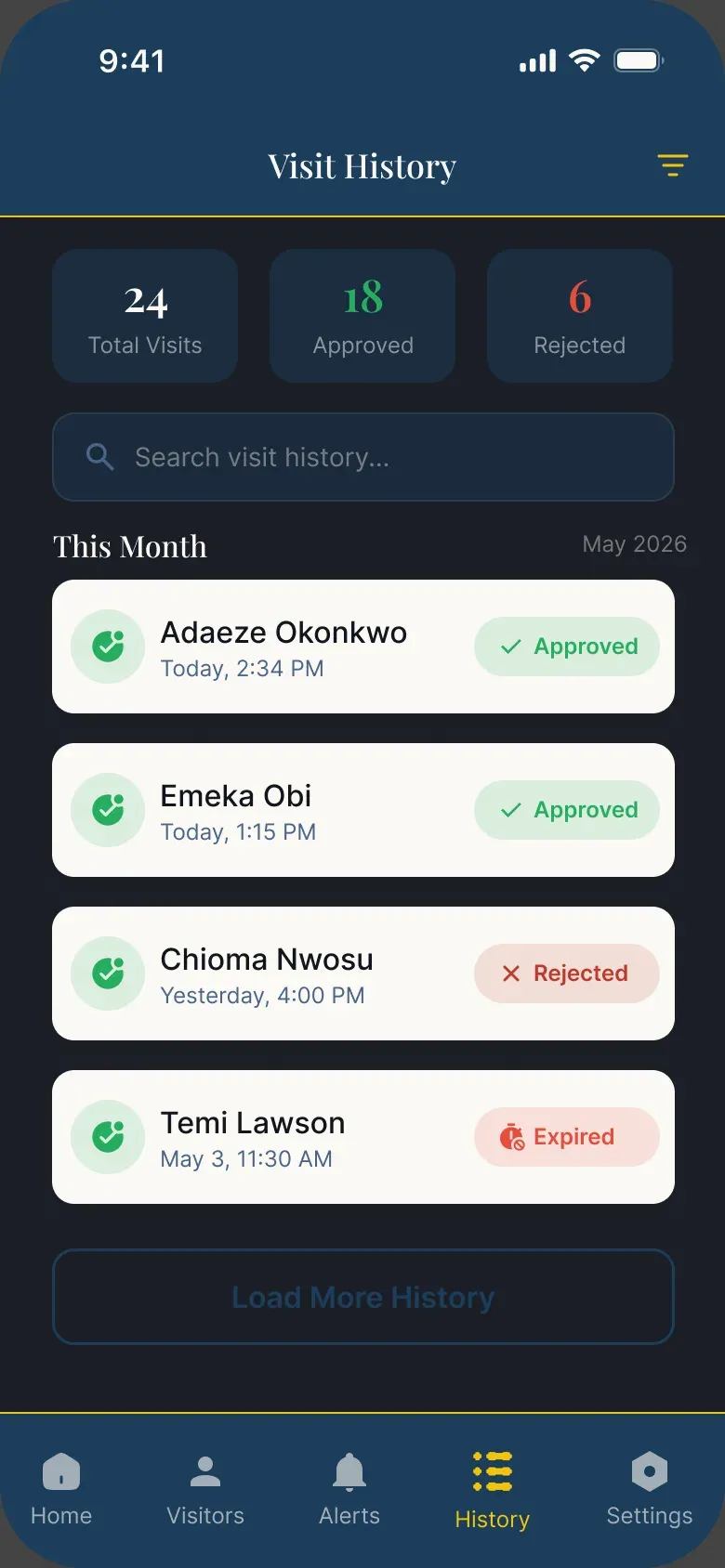
- "History" was misread as recent activity. I renamed it "Visit Logs" and gave it a list icon.
- The sign-up progress bar was too thin (3px) to notice. I made it 6px with bolder step text.
Results after the fixes (test results, 5 participants): visual design 9.0/10, ease of use 7.6/10, would use it 8.6/10.
Two things testers said: "The design looks very professional. I would use this app today if it existed." and "The colour scheme feels premium. This looks like something you'd pay for."
9.0/10
visual design (5 participants)
Test result
7.6/10
ease of use (5 participants)
Test result
8.6/10
would use it (5 participants)
Test result
From Figma to a live app
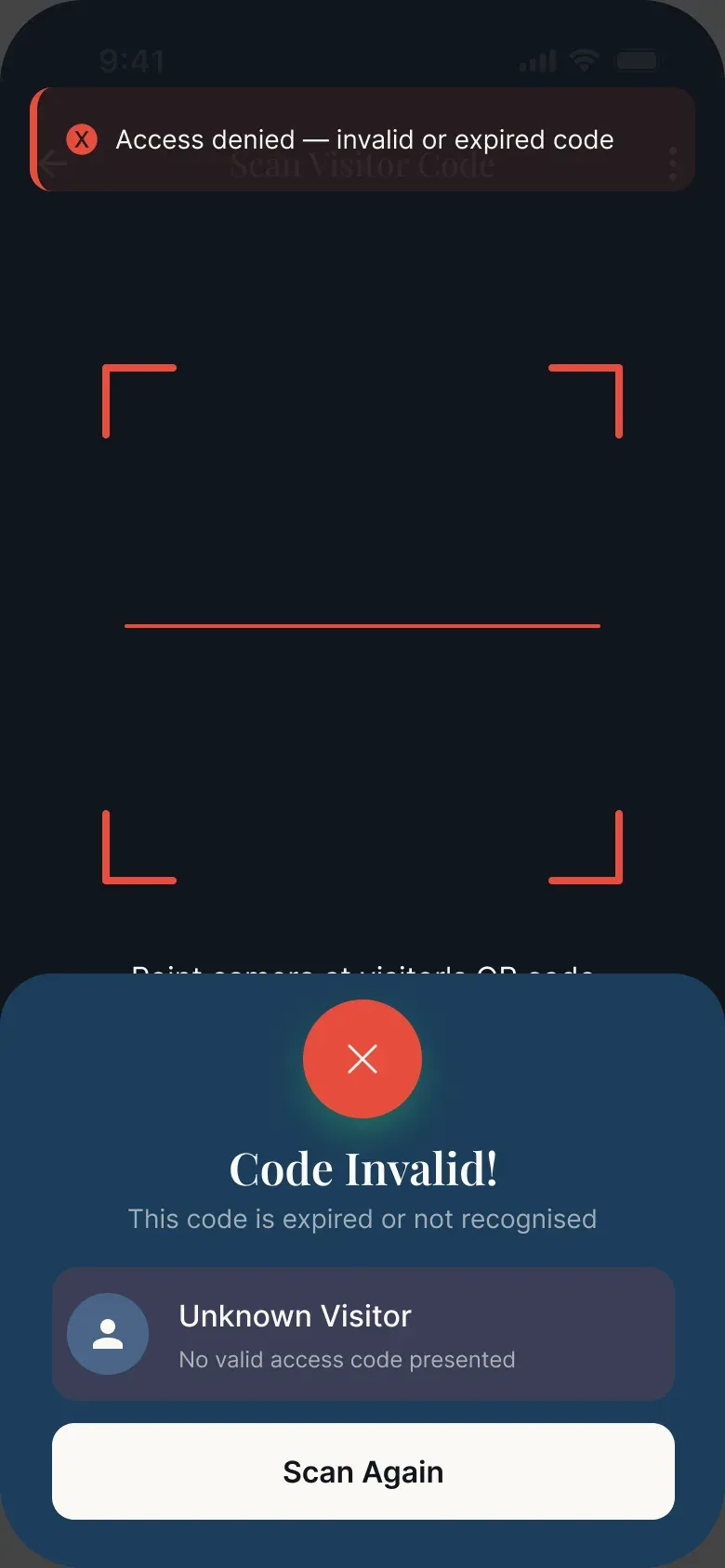
After the capstone, I didn't want HavenPass to stay a prototype, so I built it by directing Claude Code: Vite, React, Tailwind, Supabase (auth, database, realtime) and Vercel, as an installable PWA, all on free tiers.
What works today:
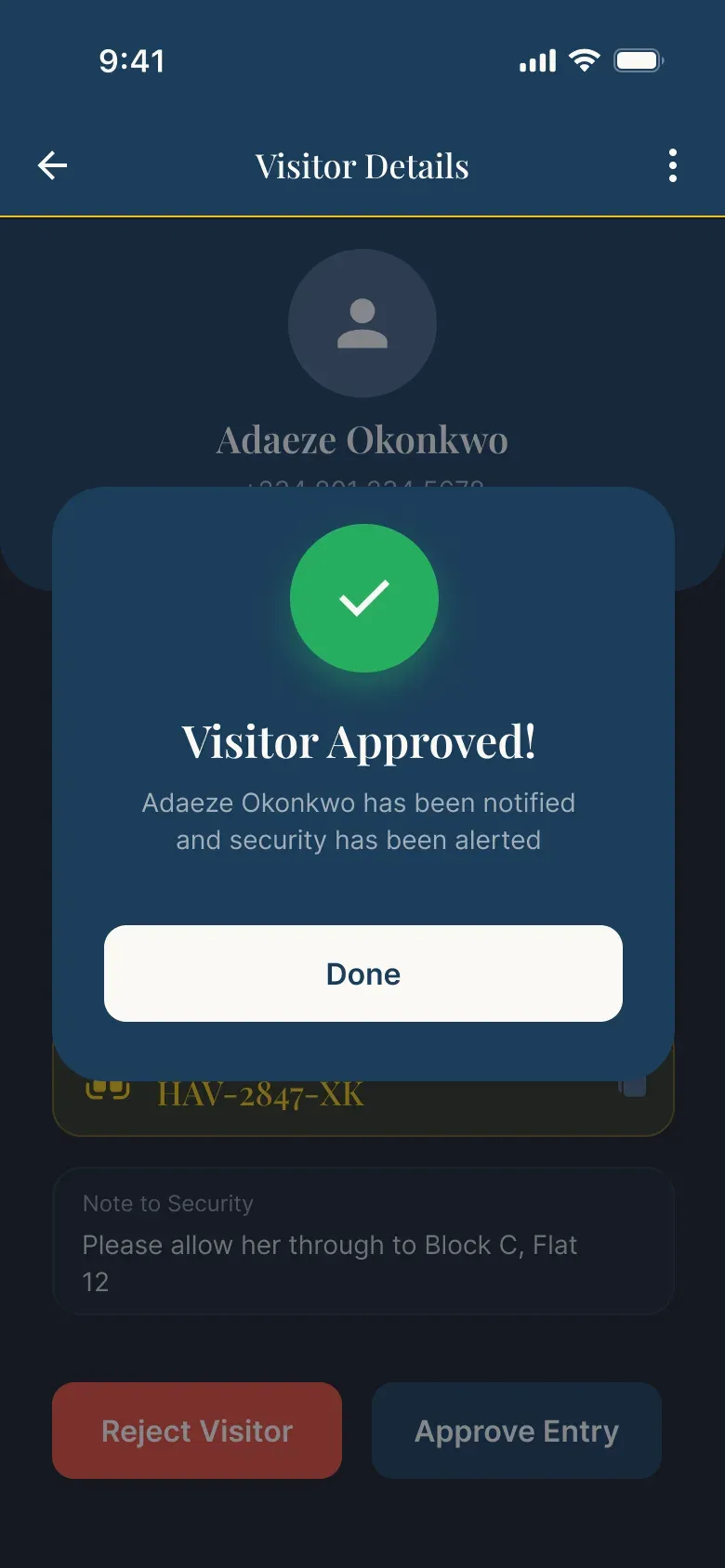
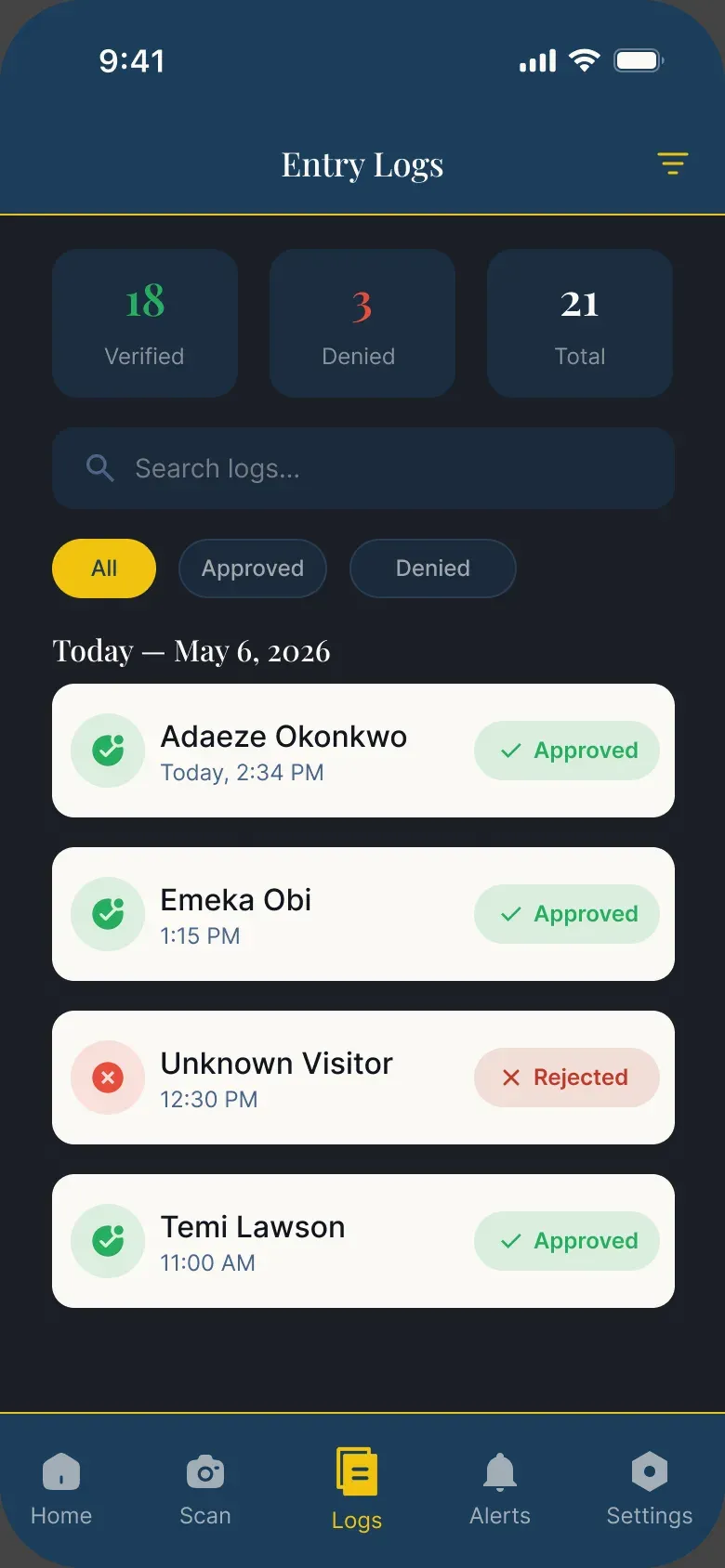
- When the guard taps Grant or Deny, the entry is logged and the code's status updates.
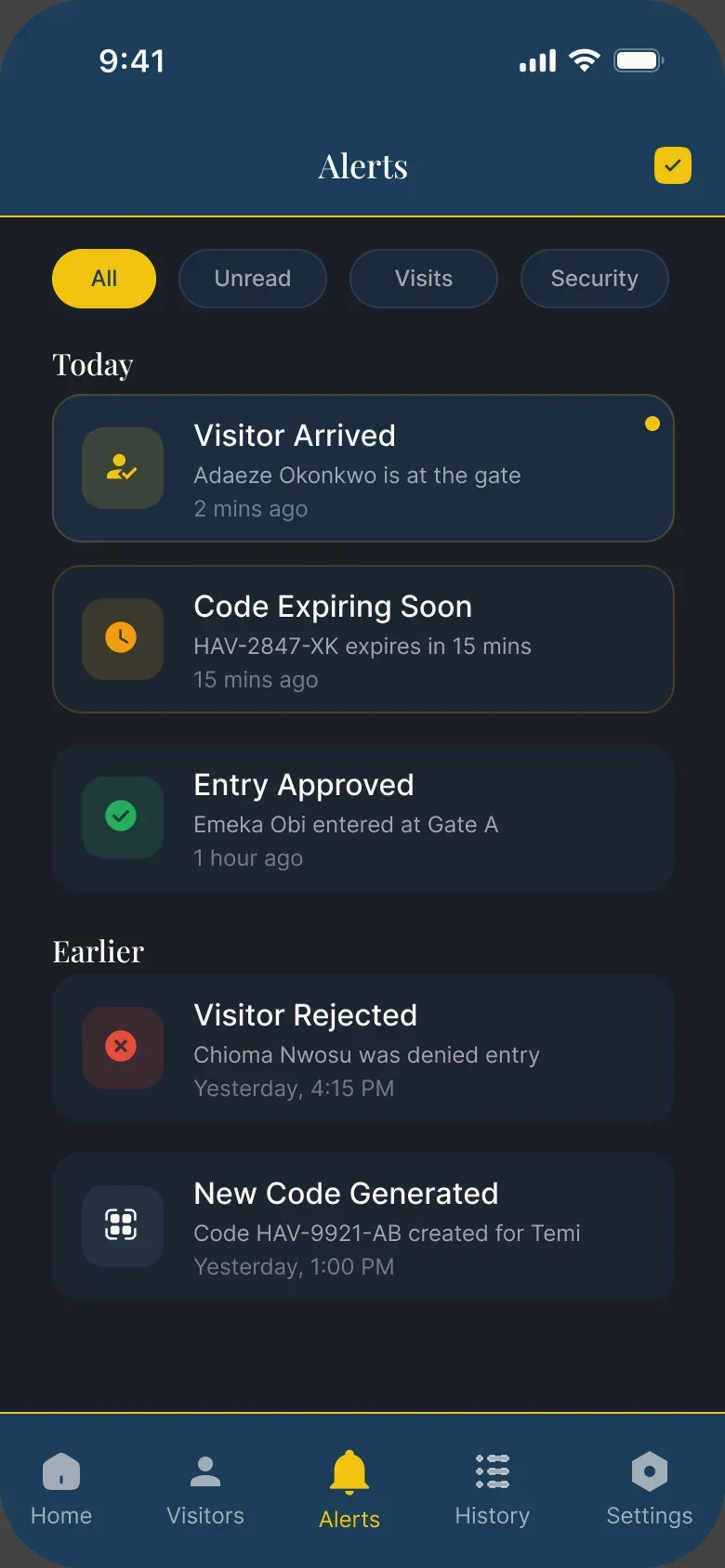
- The resident, visitor and officers get alerts.
- If a resident revokes a code, the visitor's code screen changes live.
- Push notifications arrive even when the app is closed.
- "Code expiring soon" alerts go out automatically.
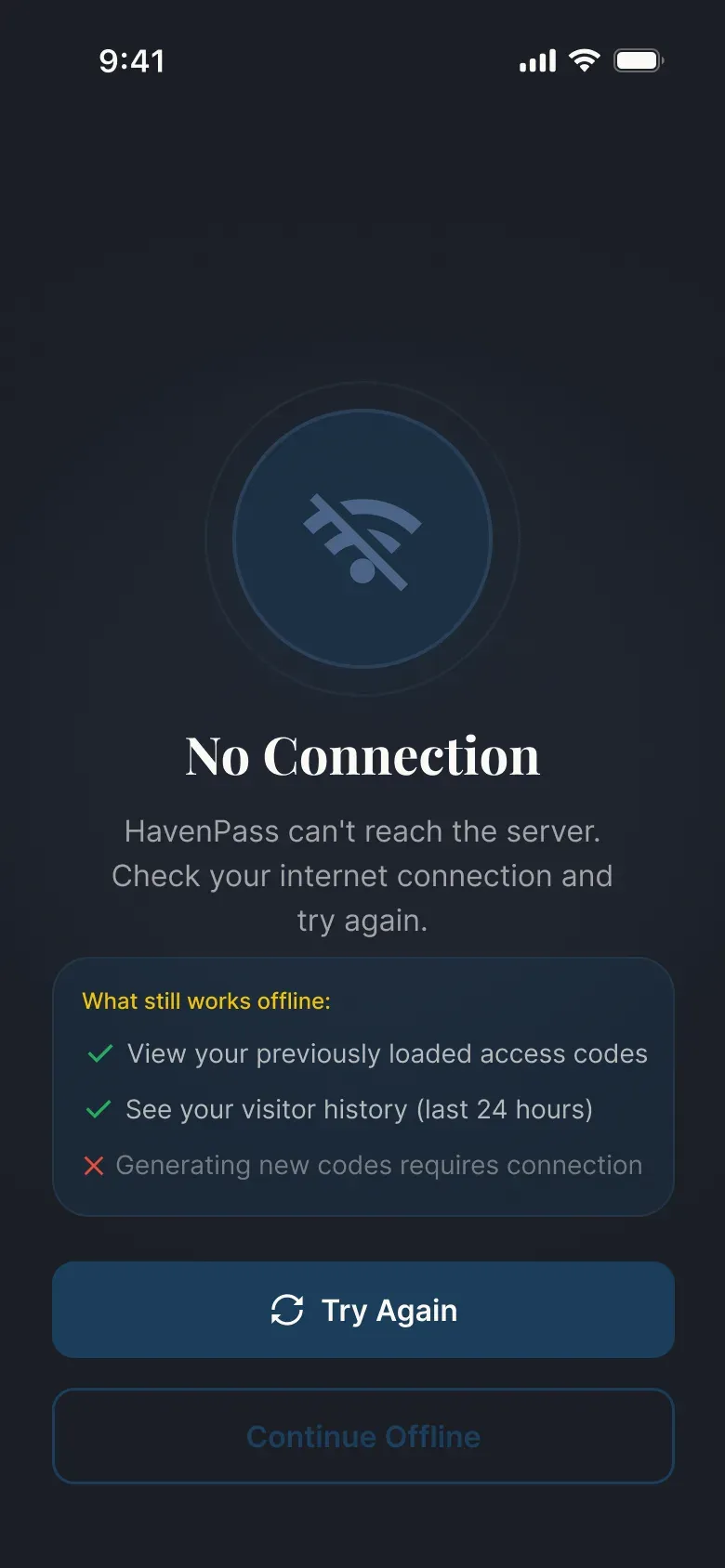
- There's an offline screen with a retry.
Cost was a design constraint too. I used email OTP instead of SMS (no paid SMS), a magic link for visitors so they don't need an account, and my own domain, gethavenpass.com, so real emails reach people.

What HavenPass is designed to change
It isn't deployed at an estate yet, so these are the goals the design is built around, not measured results.
about 90 seconds
gate wait, from up to 25 minutes
Designed to change
none
phone calls per visitor, from every visit
Designed to change
impossible
code reuse, from not prevented
Designed to change
fully digital
entry records, from paper logbooks
Designed to change
under 10%
officer time on calls, from around 60% of a shift
Designed to change
What's next and what I learned
Next: field testing with real officers at a Lagos estate, a web dashboard for estate management, and finishing the visitor and officer prototype flows.
What I learned: naming conventions save you at 85+ screens, designing for three mental models at once is a different kind of hard, and every empty, error and loading state is part of the product, not an afterthought.